Product guide · Updated September 28, 2026
PyRe GPU
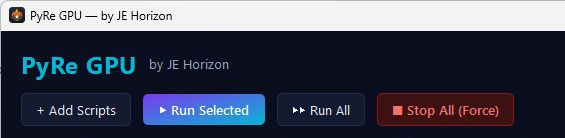 START HERE · COMPLETE WALKTHROUGHHow to use PyRe GPUFollow the full step-by-step guide with lettered screenshots.Open the illustrated guide →
A local Windows workbench for planning, running, and reviewing Python workloads with optional compatible GPU execution.
Product details · Microsoft Store listing
What you can do
- Add and run local Python scripts from a Windows workbench.
- Review resource allocation before a run and inspect output afterward.
- Compatible GPU execution is optional; CPU execution remains available.
More step-by-step help
Limits and review points
- PyRe does not turn CPU-only Python code into GPU code; GPU use requires compatible code, hardware, drivers, and environment.
- A built-in scheduler and general virtual-environment manager are not established as shipped features.
Troubleshooting
A script does not use the GPU
- Check whether the script and its packages actually support GPU execution.
- Check the GPU, driver, and environment compatibility, then review PyRe's run output.
The workbench refuses a run
- Inspect the admission or environment message rather than bypassing it.
- Reduce the request or free resources, then review the plan again.
Need a person?
Visit Support. Include the product and exact error; remove private details from screenshots. Never send passwords, sign-in codes, full card numbers, or license secrets.